OpenClaw & Claude Desktop Buddy
PIXCLAW
A cute digital pet
for your AI agent.
PixClaw sits on your desk and brings your agent to life as a cute, animated pixel pal - with OpenClaw and Anthropic’s official Claude Desktop Buddy protocol built in.
🛠️ Open firmware - build it, tweak it, make it yours.
Join waitlist →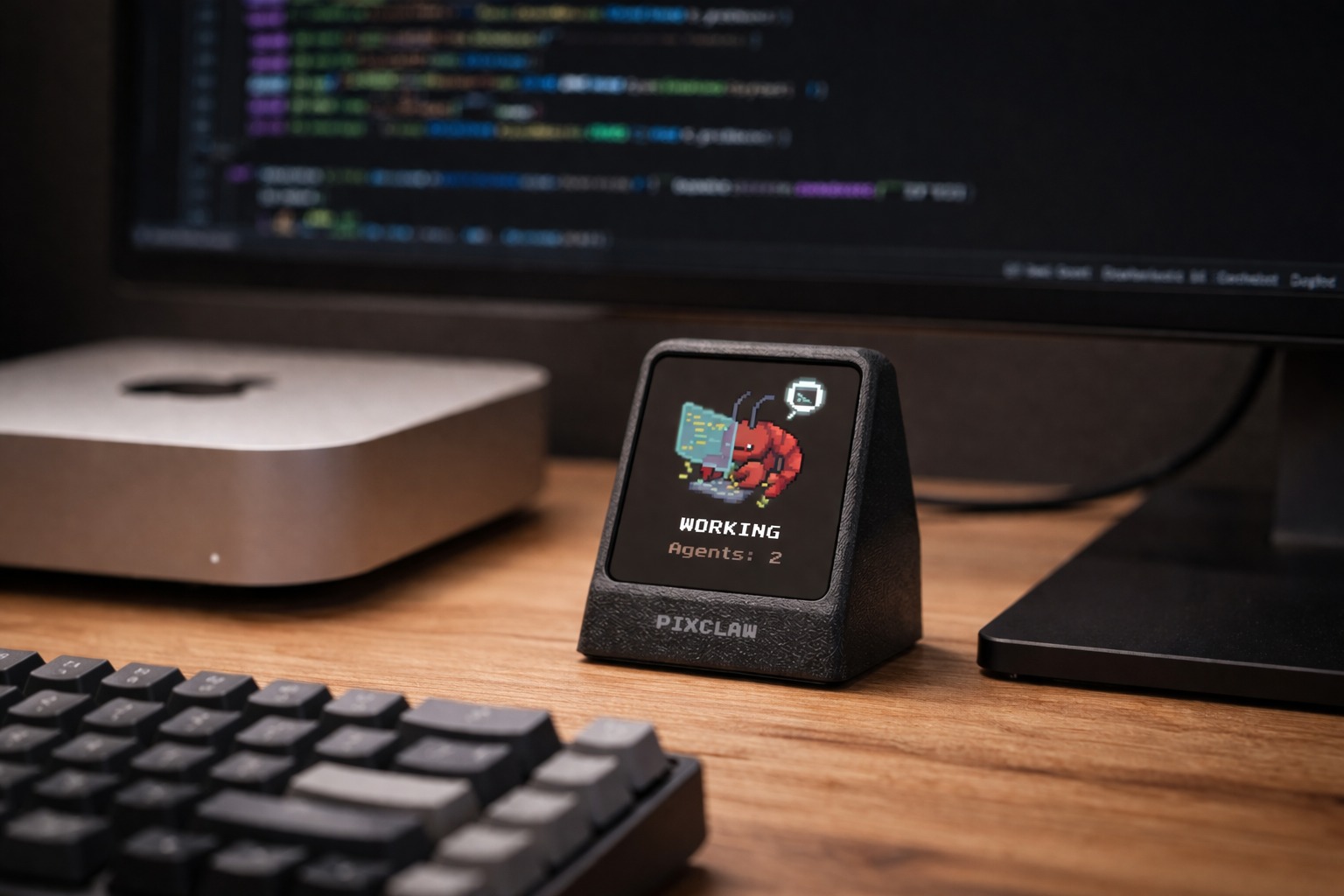
Early prototype - hardware and specs still evolving.
On your desk
A spot beside your monitor
Monitor your AI agent at a glance - OpenClaw over Wi‑Fi or Claude over Bluetooth, depending on your firmware.
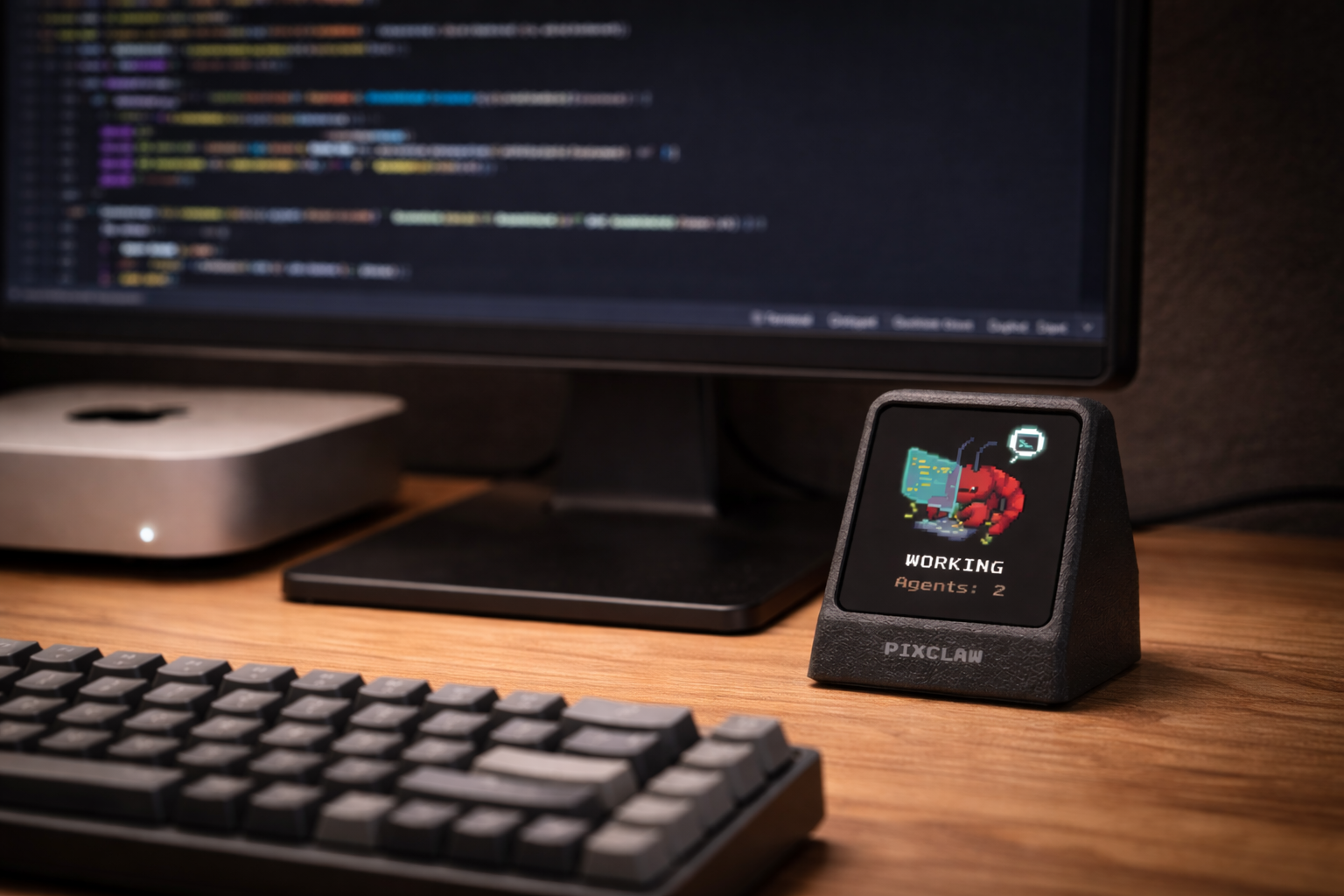
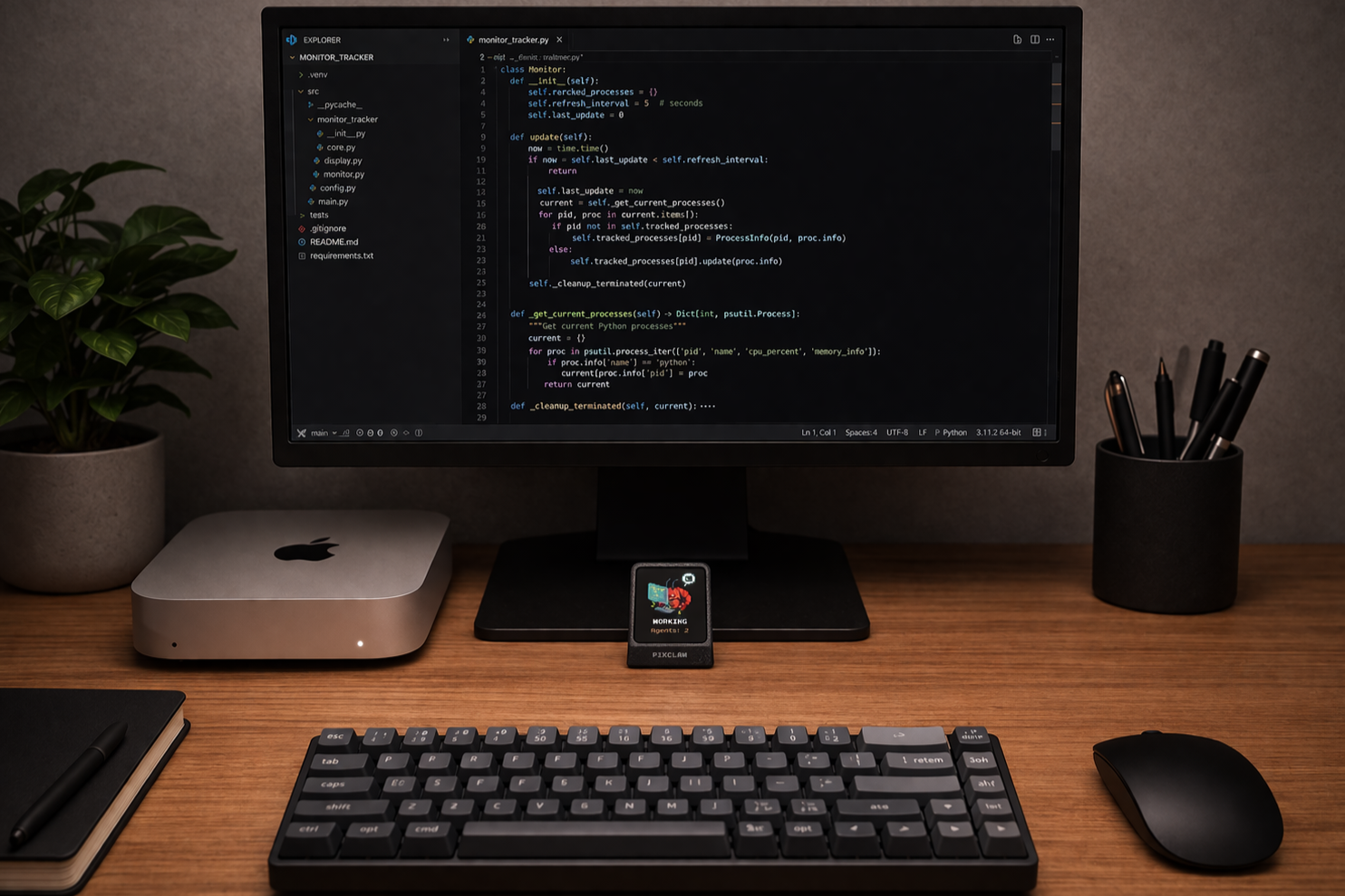
Early prototype renders
Meet your new companion
A cute and useful desktop pet
No more checking terminal logs or switching tabs. Just look over at your new buddy.
-
Feeds on your tasks
Watch your pet run around when OpenClaw is working, and take a peaceful nap when your agent goes idle.
-
Glanceable status
Is your AI throwing an error? Did it finish the script? Your pet's mood tells you instantly.
-
Tiny footprint
Sits quietly beside your monitor.
-
Wi‑Fi or Bluetooth
OpenClaw: reaches your agent over Wi‑Fi on your LAN - fully local. Claude Buddy: pairs over Bluetooth to Claude on your Mac or PC.
How it works
OpenClaw or Claude Desktop Buddy — pick your link
Flash the firmware for the stack you use. OpenClaw talks over Wi‑Fi; Claude Desktop Buddy talks over Bluetooth. Your pet’s animations follow whatever your AI is doing.
Plug it in
Powered by USB, plug it right into your monitor or hub.
Pair it up
OpenClaw: connect to your local instance over Wi‑Fi on your home network. Claude: enable developer mode in Claude Desktop, open Developer → Open Hardware Buddy, and pair over Bluetooth.
Watch it live
Idle, Working, Error, Offline - your AI's states instantly change your pet's mood.
Device specs
Built for OpenClaw (Wi‑Fi) and Claude Desktop Buddy (Bluetooth).
Like OpenClaw, PixClaw firmware is open source.
- Display Full-color TFT display
- Connectivity Wi‑Fi (OpenClaw) · BLE (Claude)
- Power USB
- Status working hardware prototype
From the workbench
Development snapshot
Real prototype hardware - enclosure and specs still evolving.
PixClaw × Claude Desktop Buddy
Anthropic officially released Claude Desktop Buddy - an open-source desk-pet protocol so makers can build hardware that pairs with Claude on macOS and Windows. We adapted that repo to work with PixClaw, so you can run it as a first-class buddy device.
That gives you the same core experience: sessions, approval prompts, and pet states over Bluetooth from Claude Desktop. We’re also planning additional features on top of the protocol - things that make the Anthropic stack more useful on PixClaw, not just a straight port.
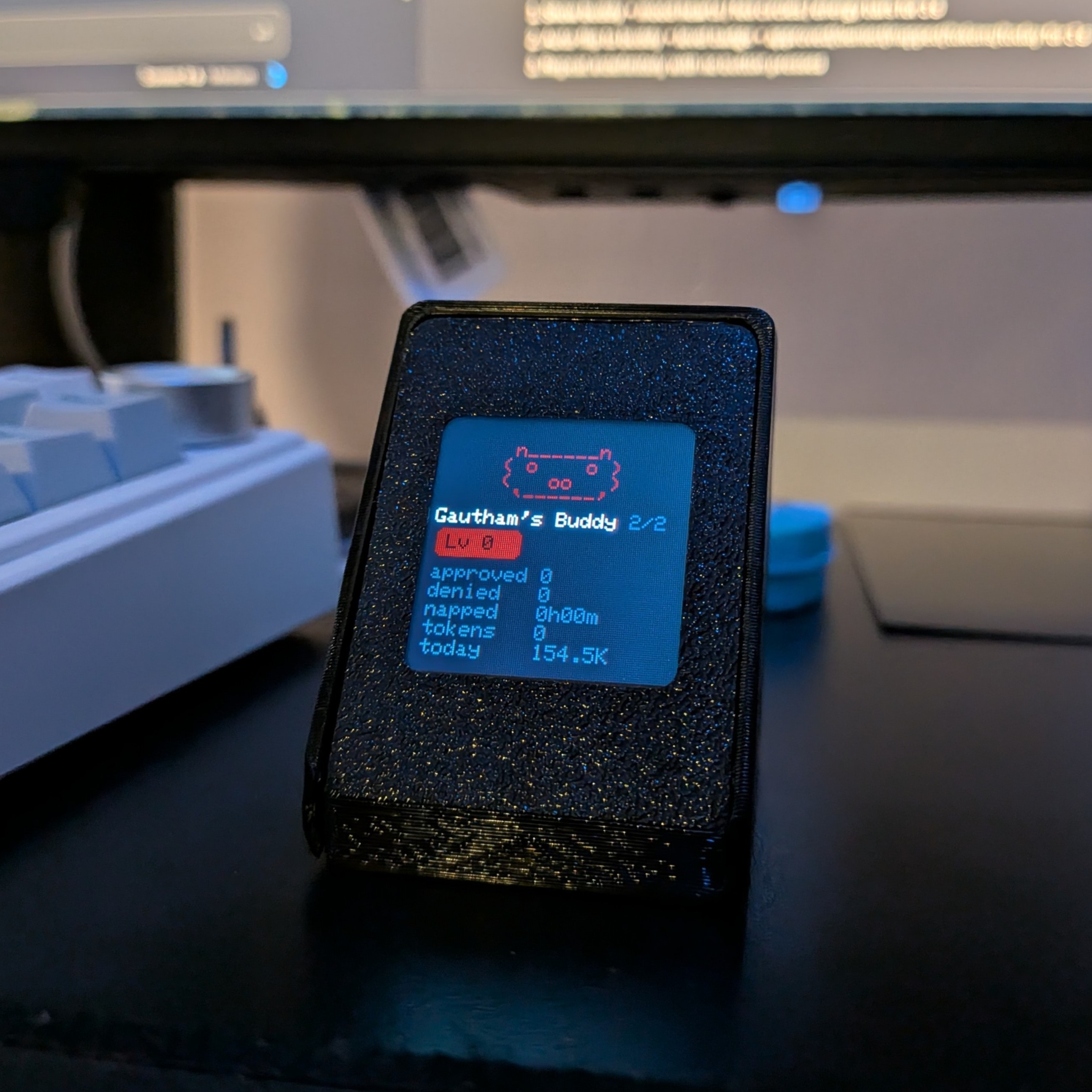
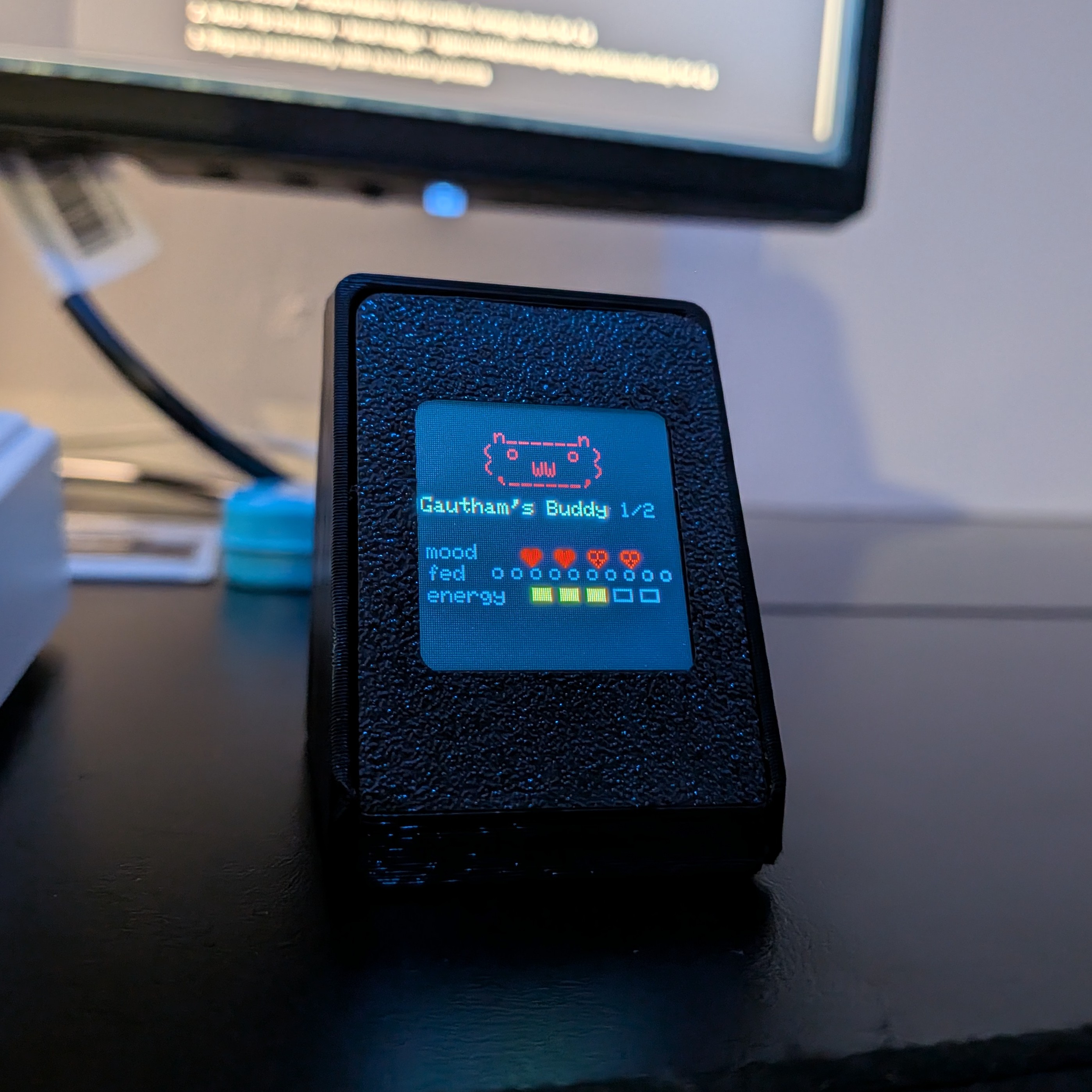
Prototype hardware in early development
FAQ
Common questions
Does PixClaw run OpenClaw?
No. PixClaw connects to your existing OpenClaw instance - it doesn't run OpenClaw on the device.
Do I need OpenClaw to use PixClaw?
Not necessarily. PixClaw ships aimed at OpenClaw, but you can also run firmware built for Claude Desktop Buddy - see below. Pick the mode that matches how you work.
What is Claude Desktop Buddy support?
Claude Desktop Buddy is Anthropic’s official open-source desk-pet project - a BLE protocol for Claude on macOS and Windows. PixClaw runs compatible firmware so you pair from Claude Desktop over Bluetooth (Developer → Open Hardware Buddy) and see session state, approval prompts, and the same seven pet animations on your desk. OpenClaw mode uses Wi‑Fi instead - not both at once.
Can OpenClaw and Claude Buddy run on PixClaw at the same time?
No. The device runs one firmware at a time - OpenClaw (Wi‑Fi status mirror) and Claude Buddy (Bluetooth to Claude Desktop) don't work in parallel on the same unit. Use whichever stack matches your setup that day.
How do I switch between OpenClaw and Claude Buddy?
Pick the mode you want - OpenClaw over Wi‑Fi or Claude over Bluetooth. We're building a helper tool so you can switch between firmwares easily without wrestling with manual flashing. After switching, pair again the way you normally would for that stack.
Can I use PixClaw if I run OpenClaw locally?
Absolutely. PixClaw is optimized for a fully local, private setup - OpenClaw on your LAN, status on your desk.
Can I use PixClaw if I run OpenClaw on a VPS?
Yes. We plan to ship a companion app that runs on your local device. It can be used to connect PixClaw to your VPS instance over Tailscale.
Is my data safe?
Absolutely. Your data isn't collected whatsoever - PixClaw connects to your OpenClaw agent and displays live status on the device; nothing is saved.
Does PixClaw use extra tokens?
No. Out of the box, PixClaw only reads your agent's status passively and mirrors it on the display - it isn't sending prompts or running extra inference, so it doesn't add token usage on top of what OpenClaw is already doing.
What hardware works with Claude Desktop Buddy?
PixClaw is a dedicated hardware companion for Claude Desktop Buddy - Anthropic's official open-source BLE desk-pet protocol. It's an ESP32-based device with a full-color TFT display that pairs to Claude Desktop over Bluetooth on macOS and Windows. It's one of the first physical hardware devices built specifically for Claude Desktop Buddy.
Is there a physical companion device for Claude code or Claude Desktop?
Yes - PixClaw is a physical Claude code hardware companion. It's an ESP32-based desk device that connects to Claude Desktop via Bluetooth (using the Claude Desktop Buddy protocol) and shows your agent's live status - idle, working, error, or offline - on a pixel-art display beside your monitor.
How much does PixClaw cost?
We haven't decided on pricing yet. Stay tuned as development evolves.
What's on the roadmap?
More features that are actually useful for OpenClaw users - tool-use monitoring, token meter style readouts, and more. On the Claude side, we're extending Claude Desktop Buddy support and shaping contributions to that ecosystem so PixClaw gets more out of the protocol - not just a straight port. We'll see what lands first.
Bring one home
We're hatching the very first batch of PixClaw prototypes soon. Join the waitlist to get your hands on early hardware.
No spam - just real milestones.